

Hey there! I’m Tony, the Director of Communications for Lore Link. I’m the person who makes sure Mark gets the newsletter out on time, and the one who finds the odd holidays for the “Good morning” posts on Bluesky. I’m also the guy at conventions who would pass high-level questions to Mark, Martine, or Mike because I mainly knew the selling points of Lore Link. You see, unlike many other members of the team, I’m not an active game master. I have run games in the past, like running AD&D 2E for my brother and his friends in high school during the late 1900s, or running some 3.0 for friends back around 2007. I’ve had the experience, but it’s been years.
For the past few years, I’ve made noises about learning how to run Star Trek Adventures for our Twitch stream, even going so far as to stream with Mark back in January of 2024 covering how he would put it into the system. Over this past summer, this talk evolved into “Why doesn’t Tony show how a ‘new’ GM can use Lore Link to set up their first game?” This concept was cemented at Origins when Mark and Mike called my bluff, and bought me the Second Edition box set. We decided on doing planning and the Actual Play in September, and we started telling people at shows and on social media.
Now, please note, this meant I had volunteered to stream:
- my first time really sitting down and using Lore Link
- my first time really sitting down and running Star Trek Adventures
- my first time running a game in over fifteen years
- my first time using the Fantasy Grounds virtual tabletop (VTT)
- And THEN, actually run the game for the first time ever.
Past Tony really dislikes Future Tony, I’m not going to lie.
Planning the Game
A couple of notes before I get into everything. First, this game was put together using the Multiverse level of Lore Link, but easily 95% of what I did could be accomplished using the free World tier. In fact, I was originally going to do that, but I wanted to use the Player Sharing feature to share the “Captain’s Log” entries with Mark. Second, like I mentioned earlier, this was my first time seriously working with Lore Link. I’m most definitely not one of the developers, so while I did know some of the “selling points” because of helping work booths at Origins and other conventions, I was not familiar with all of the in and outs of the system.
Part of my “spiel” during shows talks about allowing you to put together your notes in a way that makes sense to you. Once you shake off the “is this how I’m supposed to use this feature?” mindset, that’s very true. I’m pretty sure if you look at how I set up my game, and compare it to how Mark has set up a Star Trek Adventures game, or how one of the Tales of Initiative crew sets up their games, it’s going to share some similarities, but not many. It’s set up how it best suits the person using it.
To get started, I wanted to try to have everything I needed in Lore Link so I didn’t have to have multiple windows and programs open. You know, I’ve only got two monitors, so I don’t have space for Lore Link, and Streamlabs, and the different PDFs for the adventure, and Discord, and… you get the idea. Anyway, I started putting the different chapters into the Timeline. Star Trek Adventures is set up to play like an episode of the TV series, so everything is broken into Chapters, Acts, and Scenes. So I set up “Chapter One - Incursion Point” and moved down from there to as far as I thought the Lore Link Players would go. Once I had all of the information added for the Acts and Scenes, then I circled back to adding in the characters and NPCs.
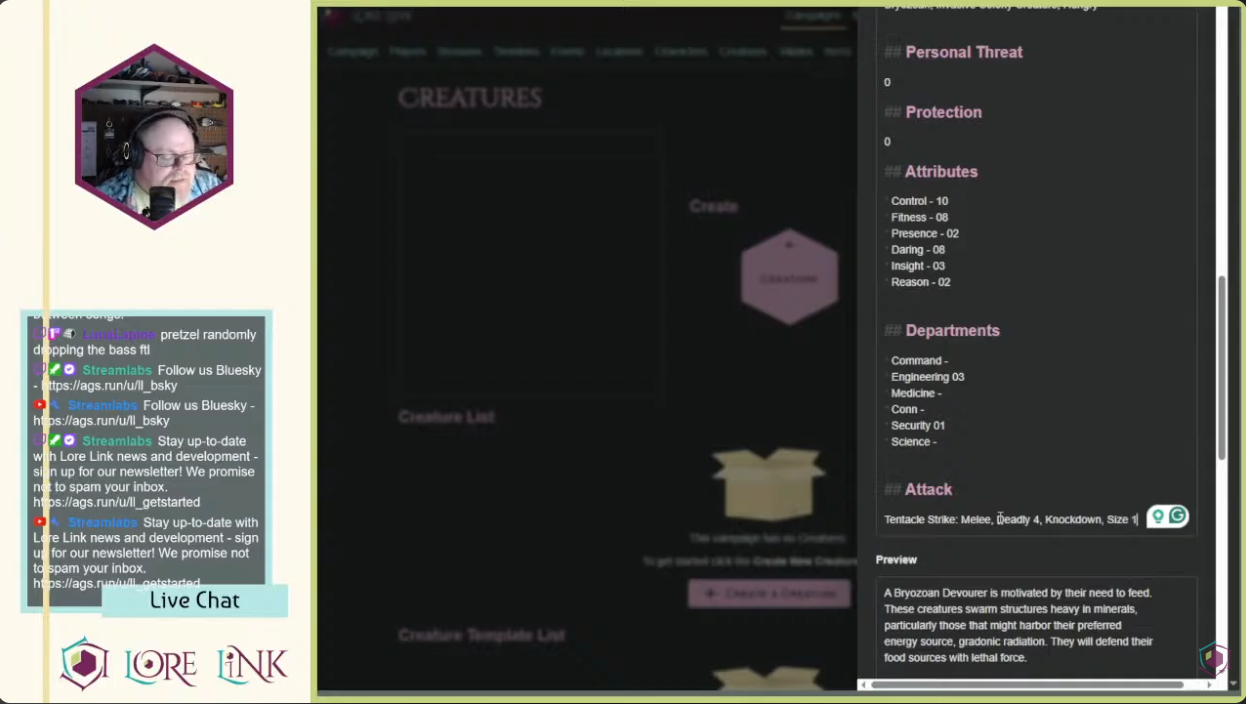
This is something that would have been a lot easier had I used the Template feature, but at this point, I was still working on making everything using the free features, so it just took a little more time. Thank goodness there’s the ability to make tables in Markdown, because those Attribute and Department blocks would have been kind of a pain to do otherwise!
By the time I had added everything that I could think of in, and linked together, it had been probably twelve hours of on again/off again work, including one set-up Twitch stream. Your mileage may vary on this, because as I said, I was adding in the entire manual, not just notes. All in all, I had created:
- One Player - Mark, just to share the “Captain’s Log” entries with.
- Two Timelines - I added in Chapters One and Two.
- Four Characters - For the four members of the Lore Link Players who ran through the adventure.
- Two Creatures
- Thirteen Events - One for each act and scene
- Six Locations - For different parts of the ship, and the world they players were on.
So, that was about 27 pieces of Lore I threw into the system to prepare for the game.
You can see part of my game prep experience on our YouTube channel.
Running the Game

Finally, after getting everything set up in Lore Link and Fantasy Grounds (the VTT I used for the game), it was time to take a deep breath and run it for the Lore Link Players. You can watch the game over on our YouTube channel, and in retrospect, I think it went fairly well. Sure, there were some times I leaned on Mark to double check some rules, and I know there was once or twice where I couldn’t remember something so I just rolled with what helped the adventure along, but Lore Link did a really good job of making sure I could find everything.
There were a few issues, but I attribute that to my inexperience, not just with Lore Link but also as a GM running Star Trek Adventures. I’m going to be revisiting it so I can actually run it for some friends, and there’s a couple things I want to check on. First, I didn’t properly link the creatures to all of the events, so I had to keep referring back to an earlier act to get those stats. Next, I’m going to take better advantage of some of the features. For example, I forgot to add the shuttlecraft to the Transportation List. I know there are some things that should have been added to the Items section, like the equipment where I had to keep referring back to another page to see how damage worked. Little things like that. However, Lore Link still made these little hiccups easy to roll with, because even though the info wasn’t exactly where I needed it, it was still only a few clicks away.
All in all, I’m looking forward to polishing the info I’ve put in for this game, and I’m also looking forward to beginning the set up for my Daggerheart game in 2026!
So, are you a new or returning GM who’s looking for a way to organize and make running your first game a bit easier? Take a look at Lore Link. The World tier is absolutely free, and it gives you access to two campaigns and the ability to do everything you need to have your campaigns at the tip of your fingers. If you like it, and would like access to more campaigns, player sharing, and more, we have other paid tiers available for you to check out!